
How it works
Choose a character.
Make a little fiction.
An opening scene is only a beginning. Your words shape what happens next. Here is everything you can do, one step at a time.
Start with an original.
Or an idea of your own.
Browse fictional characters by style, from romantasy to everyday stories. Each original has a portrait, a voice and a starting scene.
You can also write your own character: a name, a personality, a look and a voice.
Browse the characters
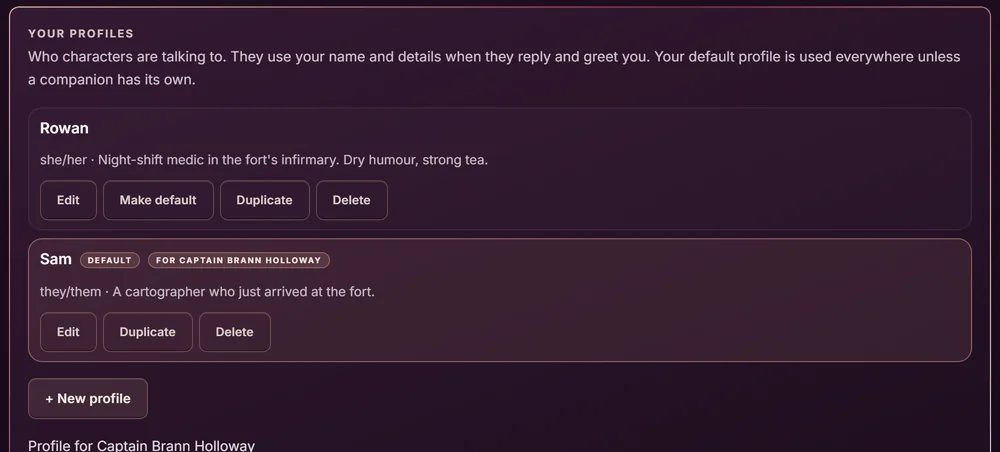
Who are you
in this chapter?
Create a profile with the name characters should call you, your pronouns and a few words about you. Characters read it before they reply.
Keep more than one: a profile for a fantasy quest, another for a small-town romance. Switch profiles for each companion, or set a default.
Profiles are optional. Without one, characters simply call you “you”.
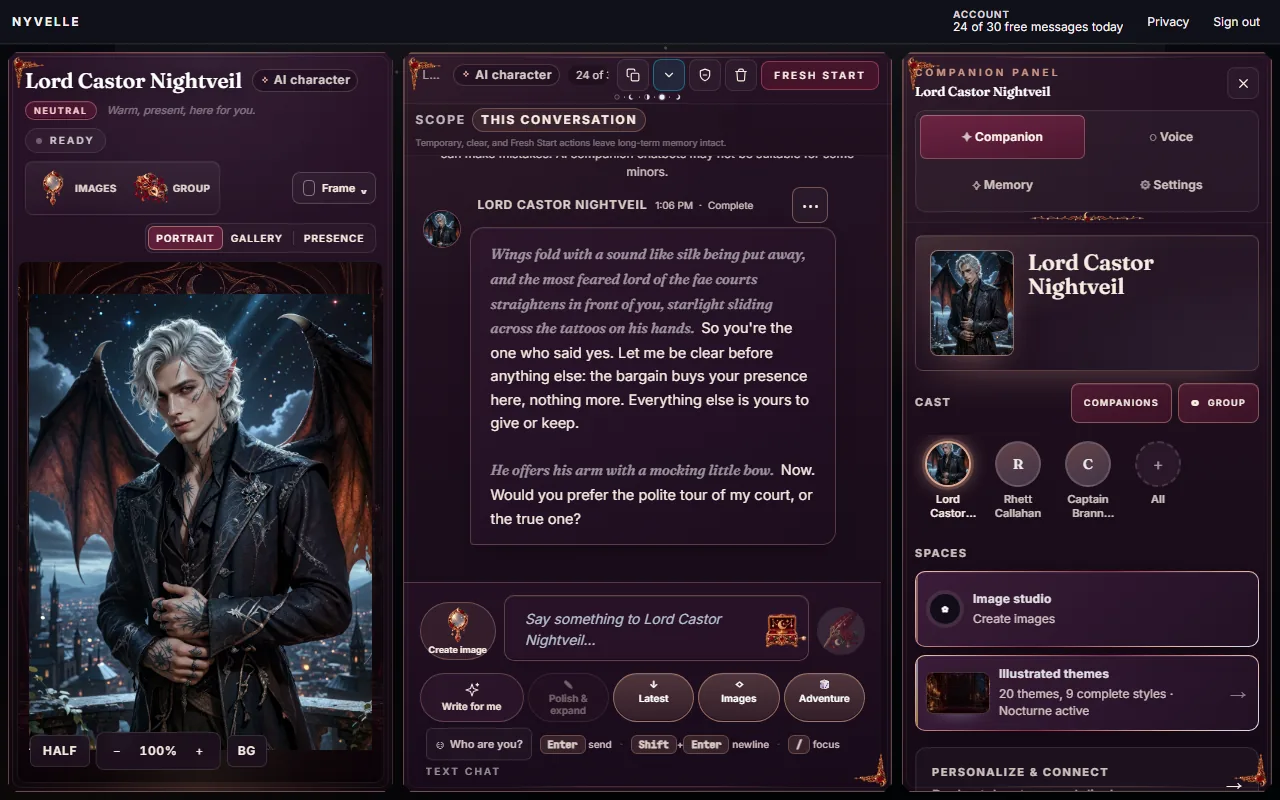
Your message.
Their reply.
Respond to the scene, ask a question or change direction. Regenerate a reply, edit it, or continue from any point. Stuck? Write for me drafts a line, and Polish & expand dresses up yours.
The free plan includes 30 messages a day and up to 3 active companions; paid plans add more messages and a longer memory.
Replies are written by DeepSeek V4 Flash, served by DeepInfra. Voices are Kokoro voices, one chosen for each character. AI replies can be mistaken. Characters are fiction, not professional advisers.
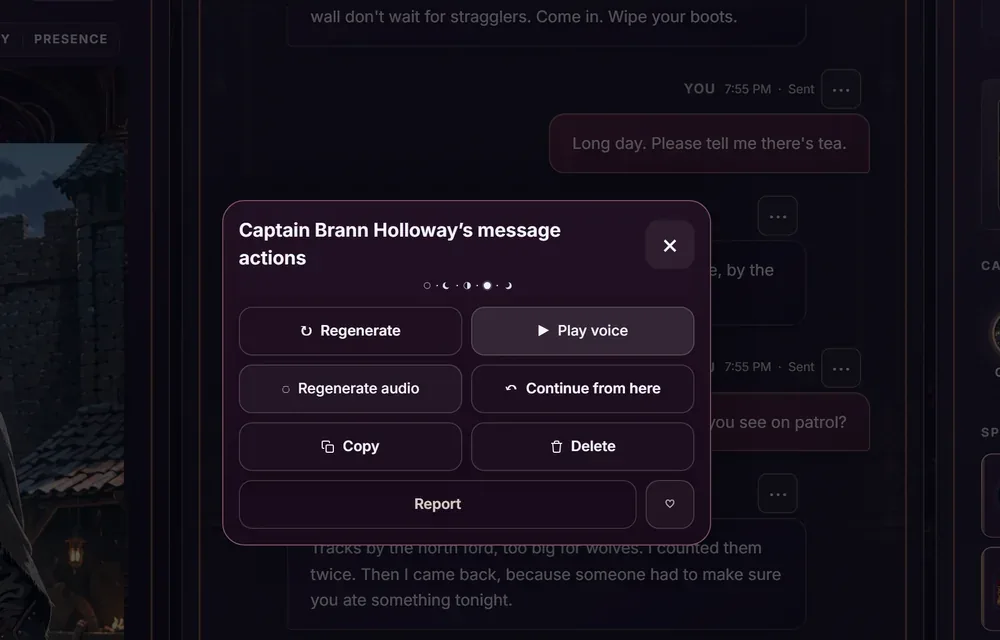
A voice
for the words.
Turn on voice and the character speaks each new reply, or choose Play voice on any reply. Every character has a voice of their own, and you can pick another in the voice picker. Their portrait reacts as they talk.
The free plan voices up to 10 replies a day and covers up to 1,500 characters of each reply; paid plans include more voiced replies, and every reply stays readable as text.
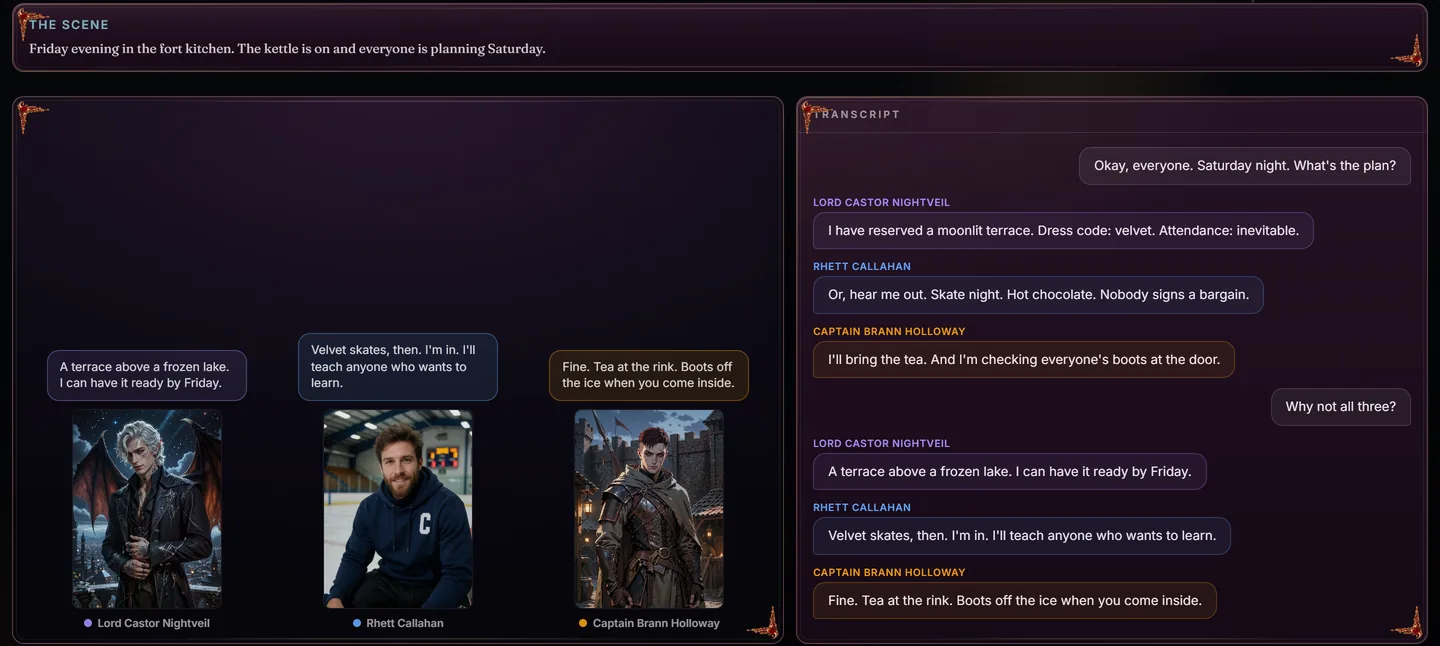
Hear a few voicesBring the cast.
Roll the dice.
Group scenes put two to four characters in one room. The AI Director can invent a scene that brings them together, or you set the stage yourself. Saved rooms keep your place.
Adventure turns a chat into a campaign: shape a world, a quest and a hero, then play through choices and objectives with a dice tray and a chronicle of what happened. Guided kits and quick stories are there when you want to start fast.
Memory,
when you say yes.
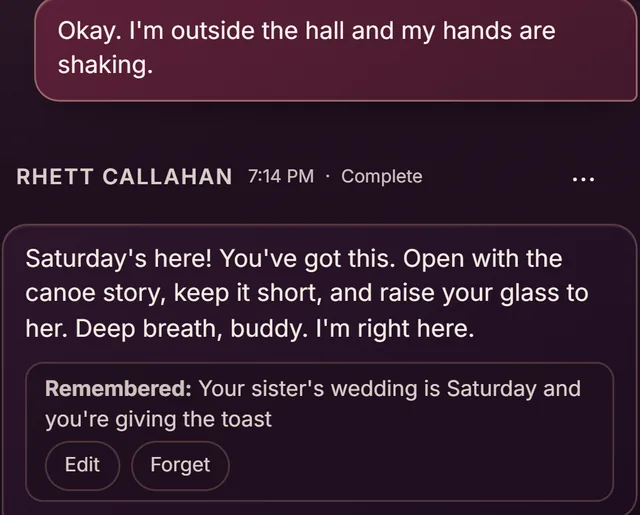
Each character asks before it keeps anything. Say yes and it saves short notes, like names and plans you mention, and uses them in later chats. A “Remembered” note shows when a reply used one.
Open Memory to see, correct, pin or forget any note, or forget everything at once. Memory can also be turned off in Settings.
Twenty themes.
One click.
Dress the whole app to match your story: illustrated themes like Nocturne, Starlit Atelier, Rose Garden at Dusk and Ember Lounge, or cleaner styles like Tidepool and Cyberpunk. Pick a font and a comfortable text size too.
Image creation in four styles (Realistic, Anime, Artistic and “Looks like my character”) opens in the app soon.
Preview the themes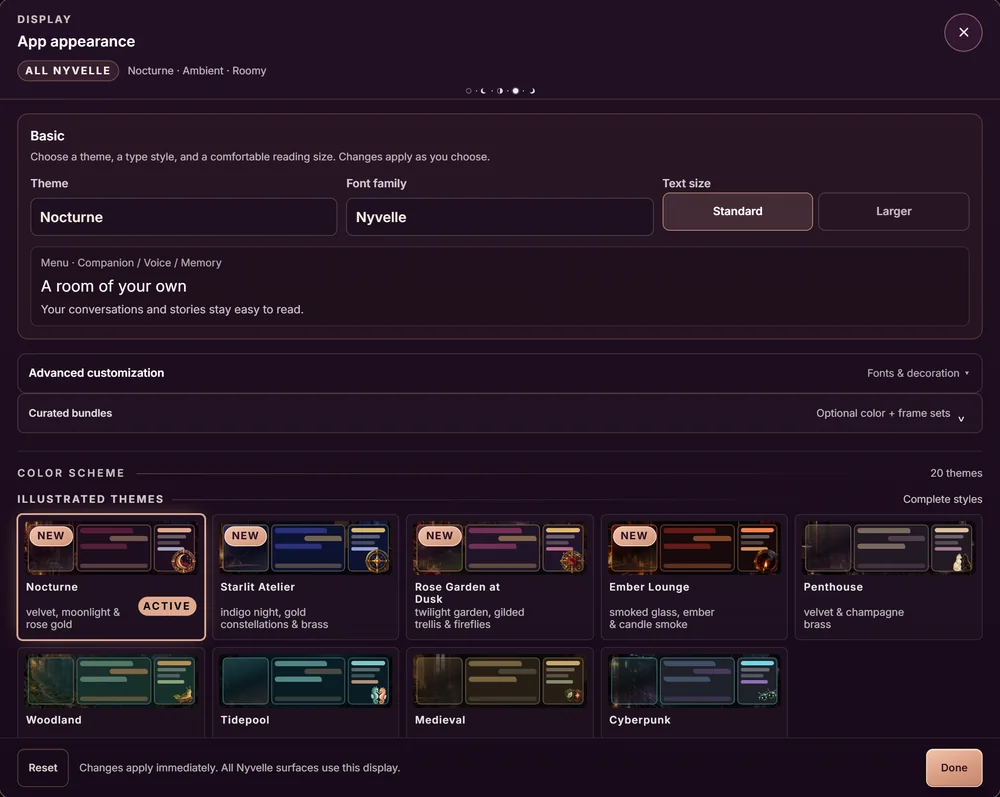
- CharactersCharacter Card V2 files and readable profiles
- ChatsMachine-readable JSON and readable text
- Saved account contentAvailable memories, portraits and gallery assets
- SettingsExportable preferences, credentials excluded
- Integrity filesA manifest and checksums
Take a copy.
Keep writing.
Export your chats and characters as a ZIP. Character cards use Character Card V2. An encrypted backup download is also available, protected with a passphrase you choose.
What is in your exportYour next story
starts in the browser.
Start free No installation. No card required. Fictional AI characters, adults 21+.